A larger product catalog often looks like a faster path to more sales.
If your store has more products, customers have more choices. More categories mean more opportunities to be found on Google. More suppliers allow you to test different niches, respond to demand faster, and expand your assortment without large warehouse investments.
However, a large catalog does not automatically mean a better business.
If products are imported without a clear system, the catalog can quickly become a problem: messy categories, incorrect stock levels, inconsistent attributes, outdated prices, duplicate products, and a lot of manual work.
That is why the most important question is not only “how do we import more products?”
The more important question is: how do we grow the product catalog in a way that keeps it clean, profitable, and easy to manage?
More products do not mean more sales if the catalog is messy
When an e-commerce store starts working with suppliers, the first goal is often to upload products to the store as quickly as possible.
That makes sense. The faster products appear on the website, the faster you can start selling them.
But problems appear when the catalog grows without control.
For example, a store may import all products from a supplier, even if some of them have no images, some have no descriptions, some have very low margins, and some belong to categories that do not fit the business at all.
From the outside, the catalog looks large. But in reality, it contains many products that do not help generate sales.
Even worse, they can get in the way. Customers have a harder time finding good products, filters become messy, categories become overloaded, and store management becomes increasingly difficult.
That is why catalog growth should not be managed by the principle of “import everything,” but by the principle of “import what actually has value.”
Step one — choose what is worth importing
One of the most important stages of supplier integration is filtering.
Not every supplier product should appear in your store. Some products may be out of stock. Others may have too little profit margin. Some may not have an EAN code, a high-quality image, or a sufficient description.
That is why it is worth having clear rules before importing products.
For example, you may choose to import only products that:
are in stock;
have at least one image;
have an EAN or SKU code;
belong to selected categories;
fall within the desired price range;
have enough margin;
are not from excluded brands;
have a description or the required technical fields.
This kind of filtering helps avoid a situation where thousands of products appear in your store and look like assortment growth, but in reality only overload the system.
Step two — organize categories
Categories are one of the places where catalog chaos becomes visible very quickly.
Supplier categories often do not match your store structure. One supplier may use English names, another may use Lithuanian names, a third may use very broad categories, and a fourth may have a structure that is too detailed.
If supplier categories are imported directly into your store, the catalog becomes inconvenient for customers.
Instead of a clear structure, many similar categories appear, for example:
“Shoes”
“Avalynė”
“Batai”
“Footwear”
“Laisvalaikio batai”
“Sport shoes”
A person can understand that most of them are related to footwear. But in an e-commerce system, these become separate categories.
That is why category mapping is essential when growing a catalog. Supplier categories must be connected to your store categories instead of being blindly copied.
This helps maintain a clean structure, better navigation, and a clearer catalog for both customers and administrators.
Step three — standardize attributes and product properties
Attributes are very important for filters, search, and the quality of product pages.
However, different suppliers often provide the same information in different ways.
For example, color may be shown as “black,” “juoda,” “BLACK,” “juoda spalva,” or “#000000.” Size may be shown as “M,” “Medium,” “m dydis,” or simply included in the product title.
If this data is not standardized, duplicate filters and messy product properties start appearing in the store.
A customer may see several different options for the same color, and filters no longer work as they should. This reduces usability and can directly affect sales.
That is why catalog growth requires not only importing, but also data normalization. Product properties must be organized according to one logic, regardless of which supplier they came from.
Step four — automate pricing
When the product catalog is small, prices can still be changed manually.
But when the catalog contains thousands of products, manual price management becomes inefficient and risky.
Each supplier may have a different pricing structure. Some provide prices with VAT, others without VAT. Some require transport or logistics costs to be added. Different categories may need different margins.
That is why automatic pricing rules are needed.
For example, you may want to:
apply a fixed markup to cheaper products;
apply a percentage-based markup to more expensive products;
use a separate formula for certain categories;
round prices to
.99,.90, or.00;apply different rules for different suppliers;
use different prices for different export channels.
Automated pricing helps ensure that the catalog remains profitable even when the supplier changes prices frequently.
Step five — synchronize stock levels regularly
Stock levels are one of the most sensitive parts of supplier integration.
If your store shows that a product is in stock, but the supplier no longer has it, a problem appears. The customer places an order, you cannot deliver the product, and you have to cancel the order or offer an alternative.
This damages customer trust and increases the workload for customer support.
That is why a one-time import is not enough. Regular synchronization is needed.
Product stock levels must be updated automatically, especially if you work with a dropshipping model or supplier warehouses.
The larger the catalog, the more important accurate stock levels become. Otherwise, more products do not mean more sales — they mean more mistakes.
Step six — prepare for multiple sales channels
Many e-commerce stores use product data not only on their own website.
Product data often needs to be exported to price comparison portals, advertising systems, marketplaces, or other sales channels.
Each channel has its own requirements. One may require an EAN code. Another may require a specific category format. A third may require a certain price format, image structure, or only active products with stock.
That is why the catalog must be prepared not only for import, but also for export.
If the data is clean in a central system, it becomes much easier to send it to different channels. If the data is messy, every new channel becomes additional manual work.
Step seven — use one central system
When there are only a few suppliers, everything can still be managed separately.
But as the number of suppliers grows, manual management quickly becomes inconvenient.
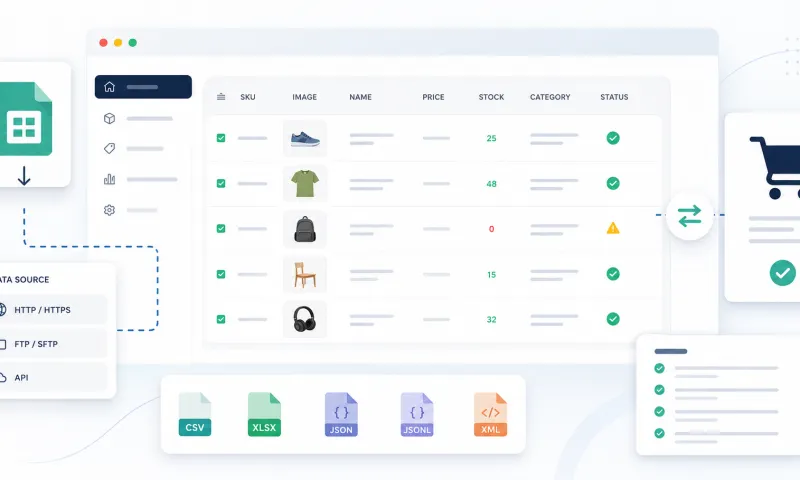
One supplier has a file. Another has an API. A third uses CSV. A fourth uses XML. One updates data every hour, another once per day. One needs one pricing formula, another needs a different one.
If all of this is managed in different places, chaos appears.
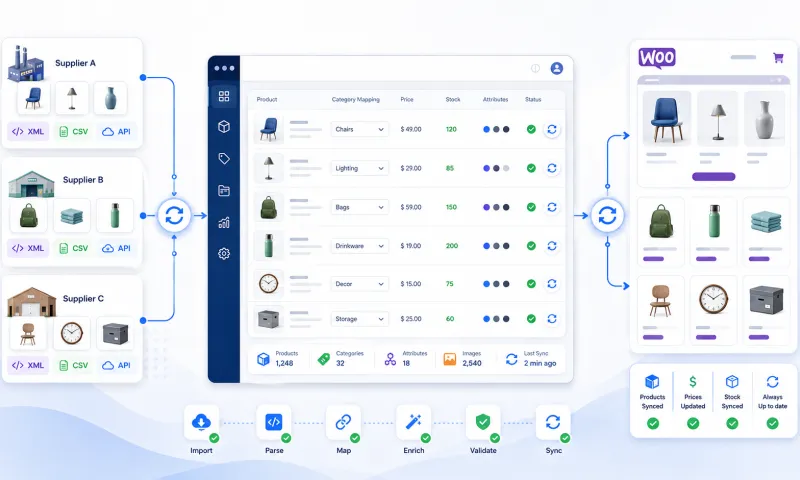
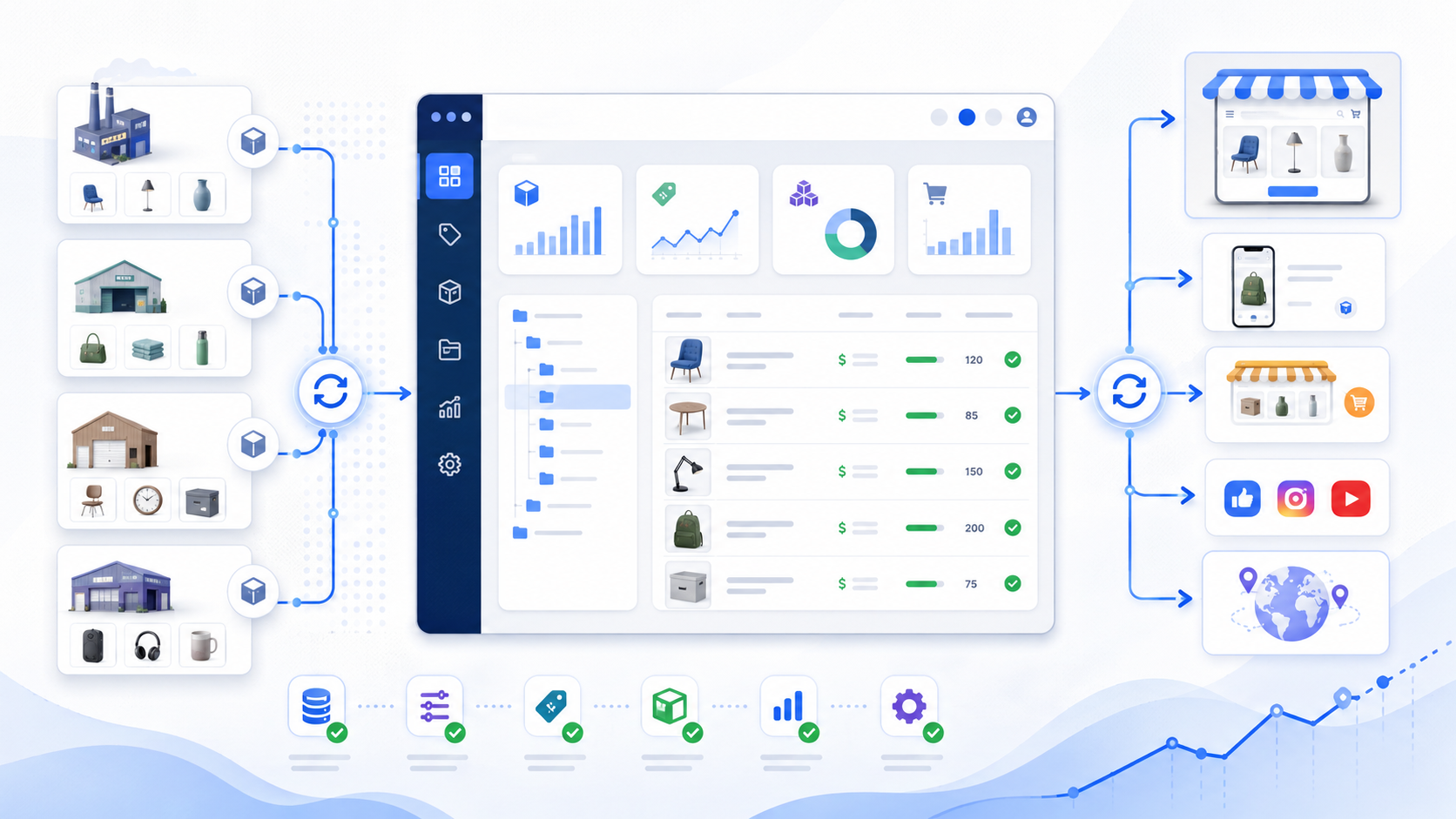
A centralized system allows you to manage all suppliers in one place: import data, filter products, map categories, apply pricing rules, manage translations, synchronize stock levels, and export data to your store or other channels.
This allows the catalog to grow in an organized way instead of becoming chaotic.
How Unified Suppliers helps grow your catalog
Unified Suppliers helps e-commerce stores manage supplier data centrally.
Instead of treating every supplier as a separate technical project, the system gives you one clear process: import, process, filter, apply pricing, and export.
Unified Suppliers is useful if you want to:
work with multiple suppliers;
import large product catalogs;
update stock levels automatically;
apply different pricing rules;
manage category mapping;
clean product data before export;
reduce manual work;
export products to different channels;
keep the catalog organized while growing the assortment.
The most important thing is that catalog growth does not have to mean more chaos. With the right system, more suppliers and more products can become an advantage instead of a daily headache.
Conclusion
Expanding a product catalog is a good strategy only when it is managed responsibly.
More products can bring more sales, but only if the catalog remains clear, accurate, and profitable.
To achieve this, you need to choose the right products, organize categories, standardize attributes, automate pricing, synchronize stock levels, and prepare for different sales channels.
Unified Suppliers helps manage this entire process centrally, so you can grow your assortment without excessive manual work and catalog chaos.