If you're a supplier looking to get your product catalog integrated into online stores, the fastest way to slow things down is to send data that "almost" fits. A missing SKU, unreachable image links, variants without separate prices — each gap means another round of back-and-forth, and sometimes weeks of integration delay.
This post lays out exactly what's needed to have your catalog ready for automated integration from the first attempt, without the endless back-and-forth.
Why This Matters to You, Not Just the Integrator
It's easy to think of data formatting as the integration partner's problem, not yours. In practice, it works the other way around.
The cleaner and more complete your data is, the faster your products show up in the stores integrating with you. Every day spent fixing missing fields is a day your products aren't generating sales through that channel. And if the data is messy from the start, the risk doesn't stop at a slow launch — inaccurate stock or pricing after integration means canceled orders, refunds, and eroded trust with the retailer you're working with.
In other words: well-prepared data isn't a formality for the integrator's convenience. It directly affects how fast and how reliably your products start selling in new channels.
Access Methods: How You Can Provide Data
Integrating your product catalog requires access to active, regularly updated information. Depending on your platform, this can be provided through one or more of the following:
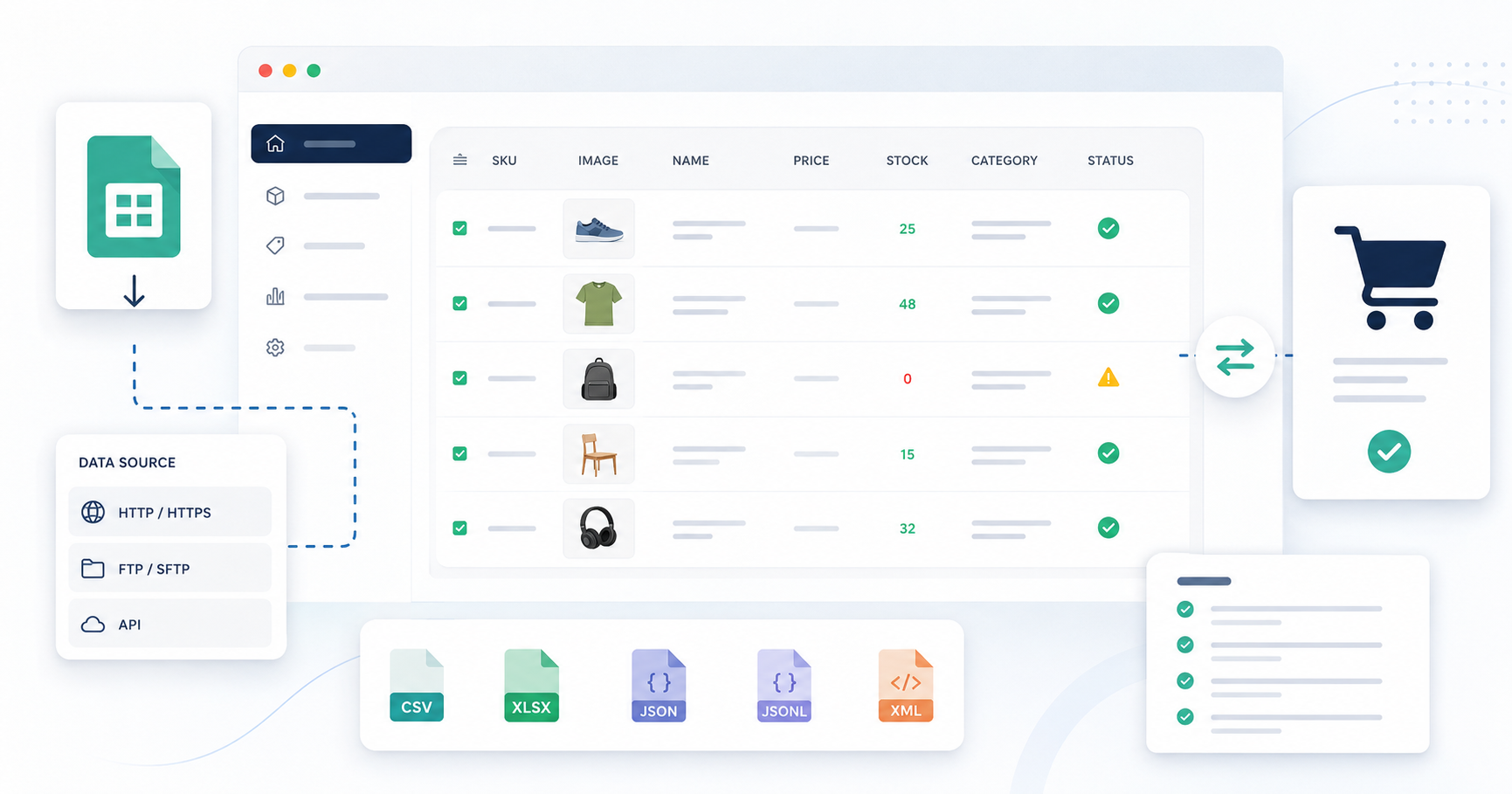
Direct link (HTTP/HTTPS) — the simplest option, where the catalog file is accessible via a stable URL.
FTP or SFTP access — suitable if you already have this infrastructure or handle large files.
REST API — the best choice if you want to ensure real-time or near-real-time data updates.
Whichever method you choose, what matters most is that the data is active and regularly updated — not a one-time export copy that has to be manually resent every time prices or stock levels change.
Required Product Fields
For integration to be possible at all, every product in your catalog needs:
Name
Description
Brand or manufacturer name
Price (gross and/or net)
Stock quantity
SKU (internal product identifier)
Category — if a product belongs to multiple categories, you can list all of them and indicate which one is primary
Image URLs — must be direct links, accessible without login
These fields are the minimum. Without them, integration is either impossible or requires manual work from the integrator's side for every single product — which means a slower launch and a higher chance of errors.
Why each field matters in practice
SKU is the key that links your system to the retailer's system. Without it, there's no reliable way to automatically match your product to the corresponding listing in the store — every update would need to be reconciled manually.
Stock quantity needs to be accurate and continuously updated. A stale value means the store can sell a product that's actually out of stock — which directly damages your reputation as a supplier.
Image links that require login are effectively unusable — integration systems can't authenticate on your behalf, so a field like this simply won't work.
Optional but Recommended Fields
These fields aren't required, but including them significantly improves how your products look and how easily they're found in stores:
Product attributes (e.g., color, size, material, weight)
Barcode (EAN13, UPC, or GTIN)
Package dimensions: weight, height, width, and length
Barcodes matter especially if the retailer also sells through other channels (marketplaces, physical retail) — without one, matching a product across different systems becomes significantly harder. Package dimensions directly affect shipping cost calculations — missing them often results in inaccurate shipping charges for the customer or extra manual corrections on the retailer's side.
Commonly Supported File Formats
Catalog data files can be provided in the following formats:
.csv
.xlsx
.json or .jsonl
.xml
These formats are supported by most integration systems without extra configuration. If you have a choice, it's worth targeting a format your system can generate automatically and update on a schedule — a manually exported file will inevitably fall behind the real situation.
If You Choose API Access Instead of a File
API access provides more accurate, more frequently updated information than a static file, but it needs to meet certain requirements:
The API must be well documented — with clear field descriptions, authentication instructions, and sample responses.
It must support pagination when working with large datasets — without it, integrating a broader catalog becomes unreliable or technically impossible.
Access must be publicly available, or you must provide the necessary credentials — an API whose documentation or access is only granted after lengthy back-and-forth significantly extends integration time.
Special Attention to Product Variants
If a product has variants — different sizes, colors, or configurations — each variant also needs to be included in the catalog as a separate entry, with its own:
SKU
Price
Stock quantity
Barcode (if available)
Attributes (e.g., size, color)
Image URL (if different from the main product)
Package dimensions (if available)
Each variant must be provided as a separate record, or clearly structured under the parent product — depending on the format chosen.
The most common variant mistake
The most common issue encountered when integrating supplier catalogs is variants lumped into a single combined entry without a separate SKU and quantity for each variant. In practice, this means the system sees one "product" with a shared stock count, even though it might actually be five different sizes, each with its own, completely different, stock level.
The result: the store shows the product as "in stock," even though a specific size or color is actually unavailable. A customer orders it, the supplier can't fulfill the order, the retailer is forced to issue a refund — and the root cause was simply poorly structured data that could have been fixed before integration.
Quick Checklist Before Submitting Your Catalog
Before handing off your catalog for integration, check:
Does every product have all the required fields (name, description, brand, price, quantity, SKU, category, image URL)?
Do image links work without login, when opened in a private browser window?
Does every variant have its own SKU and its own accurate quantity?
Is the data updated automatically, rather than through manual exports?
If you offer an API — is it documented, does it support pagination, and is it accessible without a lengthy back-and-forth process?
Is the file format one of the widely supported ones (.csv, .xlsx, .json/.jsonl, .xml)?
If you can answer "yes" to all six questions, your catalog is technically ready for fast, smooth integration.
The Bottom Line
Technical integration requirements can feel like a bureaucratic hurdle, but they're actually the most direct path to getting your products into new sales channels quickly, without endless back-and-forth and corrections. The more organized and complete your data is from the start, the faster and more reliably your catalog starts working in the retailer's store — which translates directly into sales you don't have to wait weeks for.
Need help preparing your catalog for integration? If you're not sure whether your data feed meets these requirements, or you'd like help configuring XML, CSV, or API access, contact us — we'll help get your catalog ready so integration happens quickly and without unnecessary back-and-forth.