OpenCart stores often add supplier products by hand or through CSV: you download the supplier's file, fix the columns, import it, and a week later do it all again because prices and stock have changed. Descriptions stay in the supplier's language, images carry no logo of yours, and variants become separate products.
Unified Suppliers now has an OpenCart module. One module works with both OpenCart 3 and OpenCart 4, and supplier products arrive in your store automatically and keep updating without you.
What appears in your store
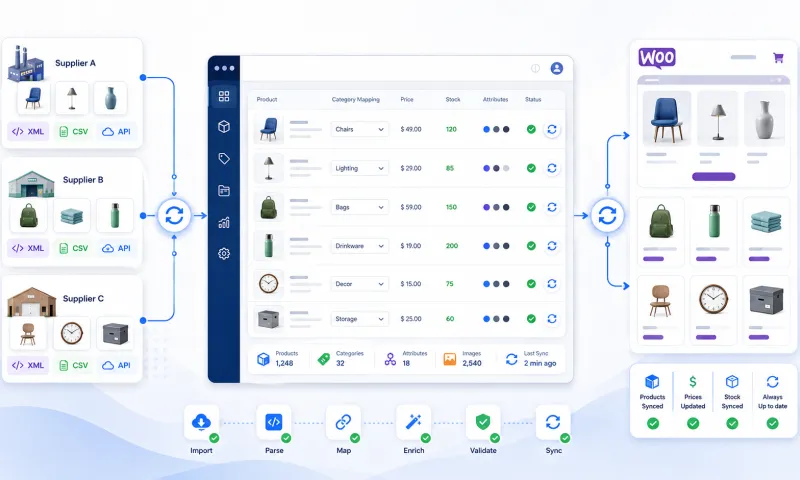
- Descriptions in your language. Title, description, meta title and meta description arrive in English, Lithuanian or another chosen language, even when the supplier's catalog is in Polish. Your edits in the store's other languages are not overwritten.
- Images and SEO URLs. The module downloads every product image and creates an SEO URL. With the watermark on, your logo appears on the images.
- Sizes and colours as options. A product in several sizes becomes one product with an option, and each option value has its own stock and price difference.
- Your prices with VAT. You set markup rules by category, supplier or price range. A sale price becomes an OpenCart special price.
- Your categories. You map supplier categories to yours once. The brand becomes the manufacturer, and properties and delivery time become attributes.
How it works
- Install the module and paste the export profile address into its settings. The profile holds the suppliers, language and pricing rules.
- Map the supplier categories to yours. The mapping also applies to every future product.
- Use filters by category, brand, price or stock to decide which products go to your store. A limit keeps you from adding more than you planned.
- The module imports products in parts, so basic hosting is enough.
- From then on, prices and stock refresh every hour. The module updates only the products that changed and switches off any product that left the supplier's catalog.
Why not a CSV import
A CSV import solves day one, not the days after. With the module you no longer have to:
- download the supplier file every week and fix its columns;
- translate descriptions by hand or with a separate tool;
- recalculate prices when the supplier's price changes;
- chase sold-out products that shoppers keep ordering.
The same catalog on marketplaces
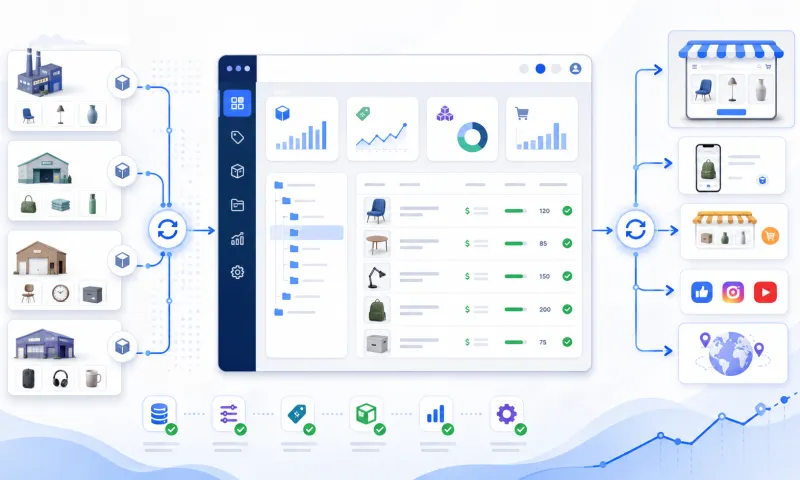
You can sell the same supplier products, with the same translations and pricing rules, on marketplaces such as Pigu.lt or Varle.lt as well. You map categories once, and each channel can have its own pricing rules.
How to start
We connect your suppliers and handle the initial setup; all that is left for you is to install the module. Read more on the OpenCart integration page, see the plans on the pricing page, or write to us if you want to talk it through.